
Direct Deposit Switch
Direct deposit, simplified
Take Control of Your Paycheck
At b1BANK, moving your paycheck takes a few clicks, not an afternoon. Redirect it to your b1BANK checking or savings account, entirely on your own terms.
Step 1
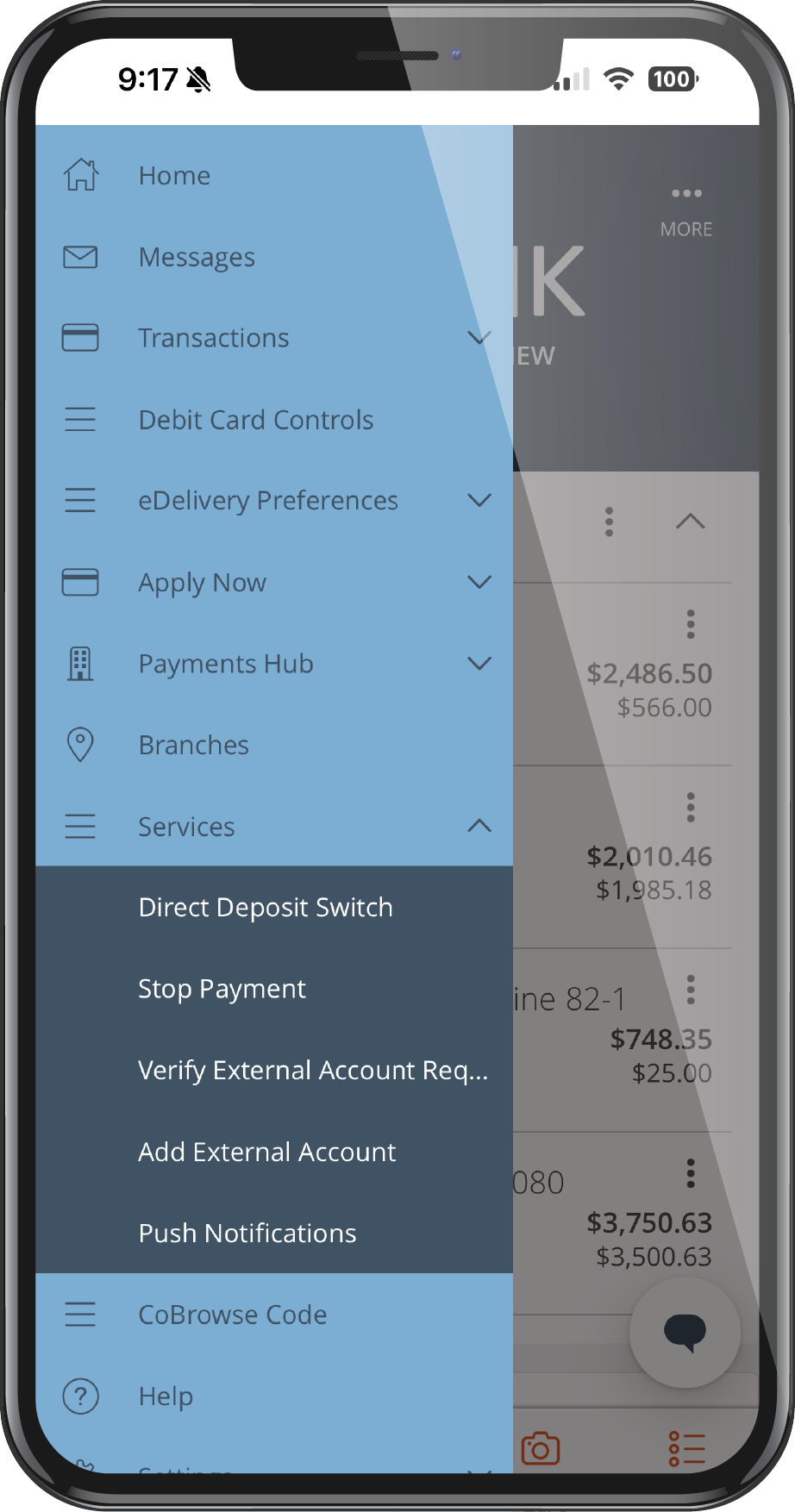
Select Deposit Switch
Log in to your b1BANK Digital Banking portal or mobile app and select Deposit Switch from your account services menu.
Step 2
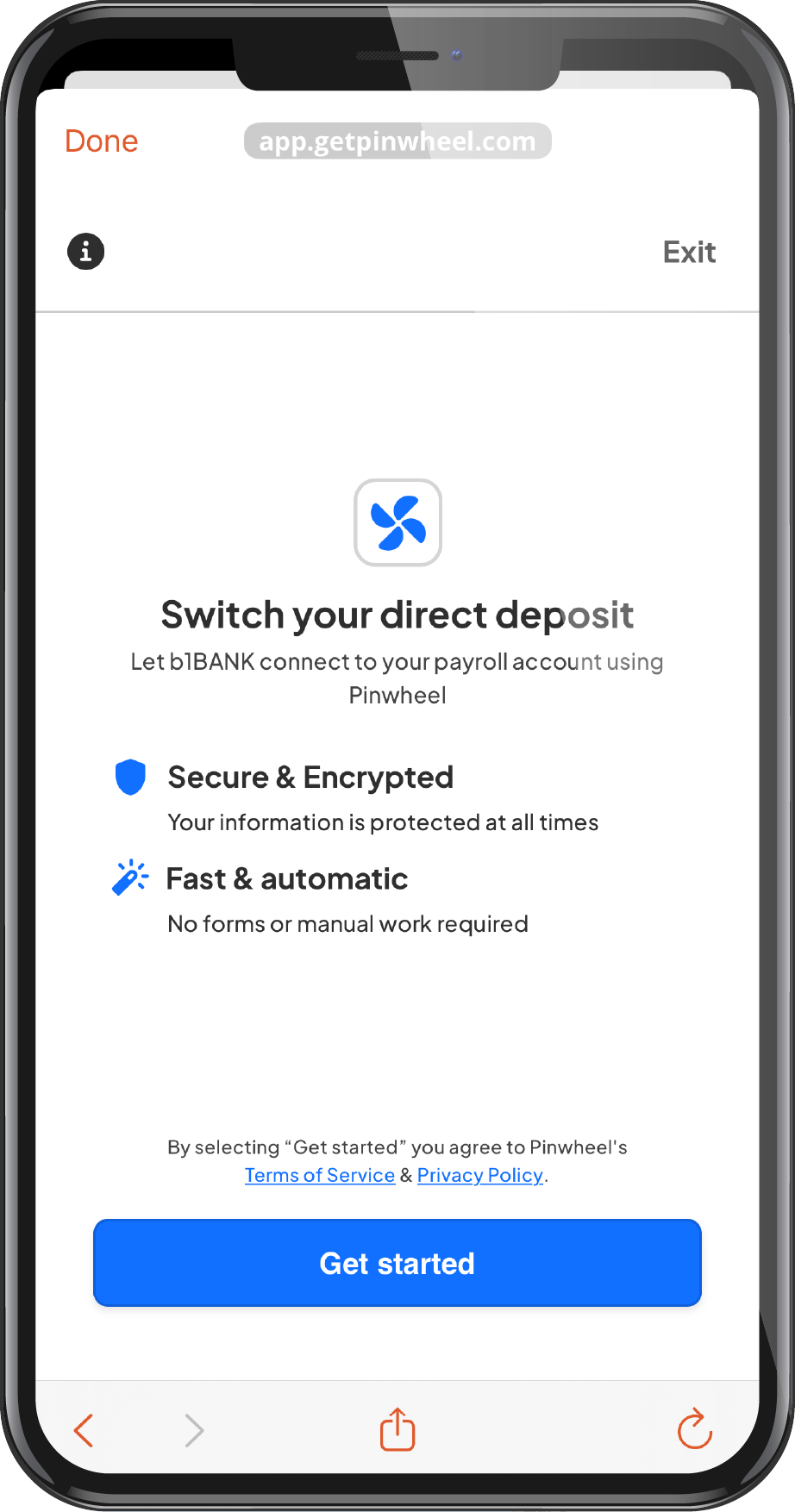
Confirm Your Identity
Our system securely verifies your information and automatically identifies your income provider or employer records across our partner network.
Step 3
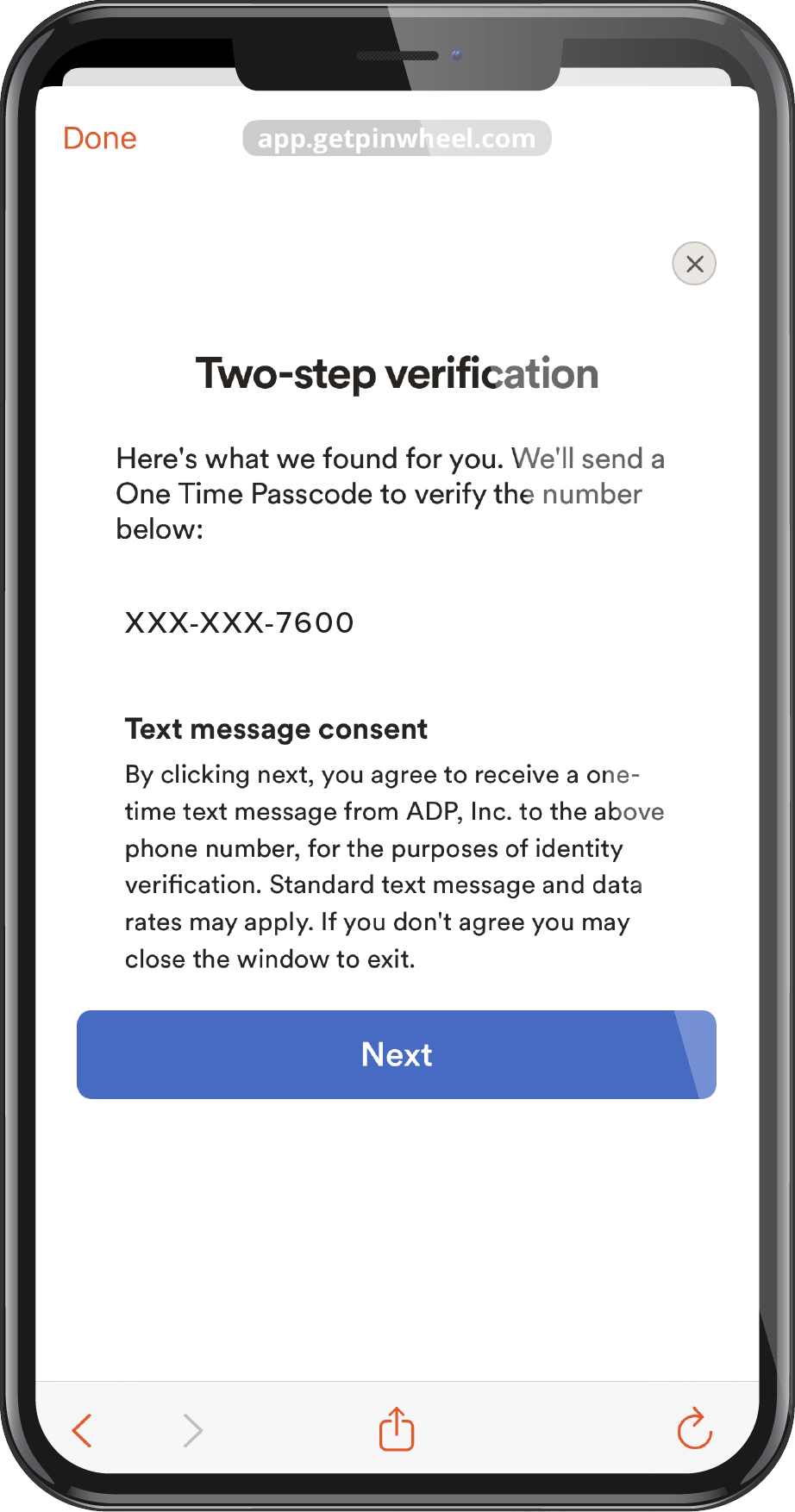
Seamless Authorization
Use any existing saved passwords or biometics to seamlessly connect with your payroll provider. Follow the simple instructions on the screen to finalize your direct deposit switch.
Step 4
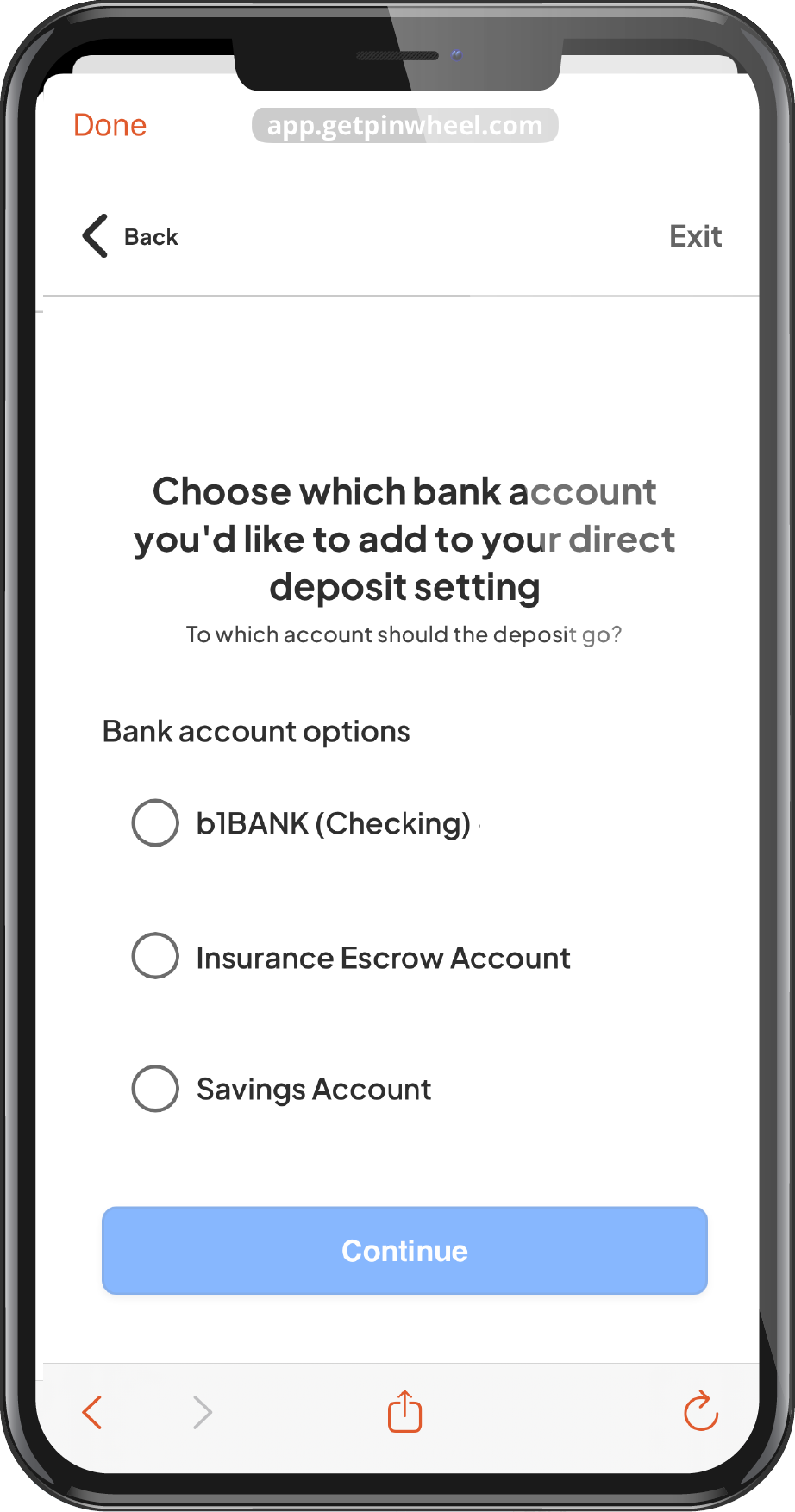
Watch Your Funds Arrive
Once completed, your switch is processed immediately, however it may take up to 2 pay cycles for changes to be implemented.
Bank with Confidence: Your security is our priority. Our deposit switching tool operates with bank-grade security protocols, utilizing direct payroll network partnerships and on-device authentication to ensure your sensitive credentials are never stored or exposed.
Simple. Secure. Instant.
Our automated deposit tool takes the friction out of moving your primary banking relationship. By leveraging secure, credential-less matching technology, we connect directly to your employer’s payroll network so you don't have to fill out complicated forms or manually share your payroll passwords.
Real-Time Identification
Our system automatically cross-references and matches your profile with over 17,000 U.S. payroll providers instantly.
Biometric & Saved-Password Support
If automated matching isn't available for your employer, securely authorize the switch using your device's built-in FaceID, TouchID, or saved passwords.
Intelligent Form Pre-Fill
For exception scenarios (like certain government or manual payroll systems), we generate a perfectly accurate, pre-filled form ready for submission.
Your Paycheck, Your Choice
Move it all, or just what's left over.
Full Switch
Send everything to b1BANK
Your entire paycheck moves to your b1BANK account, replacing any previous deposit destination. The simplest option if you want all of your pay in one place.
Remainder Switch
Keep your existing splits
Already sending part of your check to savings or another account? We leave those exactly as they are and send only what's left over to b1BANK.
Questions people actually ask
A few things worth knowing first.
-
What does it mean to switch my direct deposit?
It means updating where your paycheck is sent. Instead of going to your old bank, it lands in your b1BANK account, in full or split, if you prefer. We handle the update directly with your employer's payroll system, so there's nothing for you to track down.
-
Is my information kept secure and private?
Yes. Your data is encrypted in transit and at rest, and it's used solely to complete your direct deposit update. We never sell or share your personal information with third parties.
-
How long does it take, and when will it kick in?
Most people finish setup in a few minutes. Once submitted, the change typically takes effect within 1–2 pay cycles, depending on your employer's payroll schedule. If you submit after a payroll cutoff, it may not apply until the following cycle.
-
What's the difference between a Full Switch and a Remainder Switch?
A Full Switch sends your entire paycheck to b1BANK, replacing any previous destination. A Remainder Switch keeps your existing allocations, like a savings split, exactly as they are, and sends only what's left over to b1BANK. If you don't have any existing splits, the two work the same way.
-
Do I need to contact my employer or HR?
No. This connects directly with your employer's payroll system, so there's no paper form to fill out and no one to call.
-
Can I split my paycheck between multiple accounts?
Yes, if your employer supports split deposits. You can send a fixed amount to one account and the rest to another, right from the same flow.
-
What if my employer isn't supported?
We'll let you know right away during setup. You can use the direct deposit form as a backup, or update your deposit directly with HR or payroll using your new account details.
-
What if I make a mistake or want to change it later?
Just go back through the flow again. You can update your direct deposit whenever you need to.
Not enrolled in digital banking yet?
Enroll in Online Banking Download the Mobile App Switch My Direct Deposit
